Family readiness, in one file

Your calendar says what is happening.

This one tells you whether you're ready for it. The gift, the snacks, the RSVP, the form that needs signing, and who said they'd handle each one.

Try it in your browser No sign up. Nothing to install.
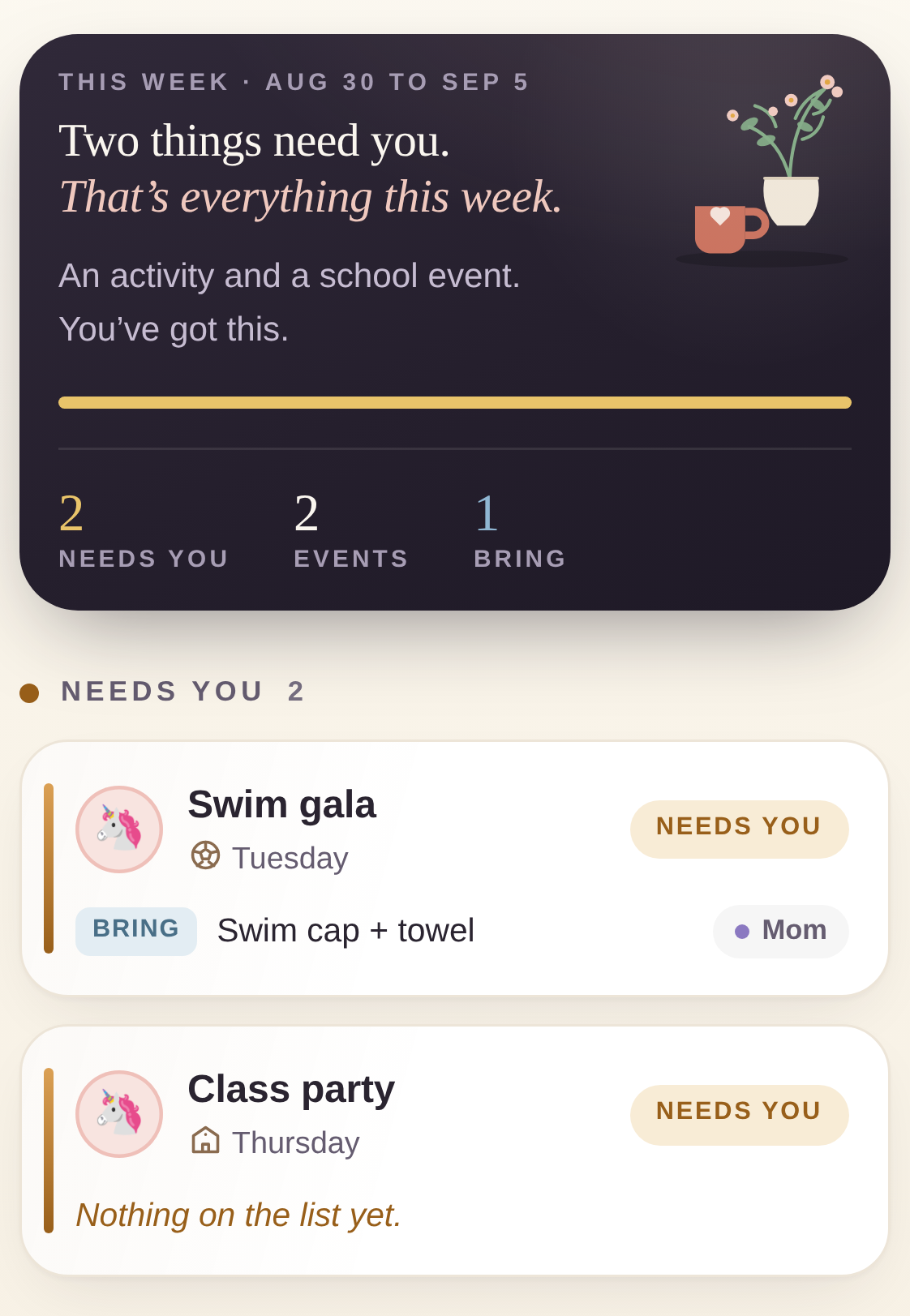
The Off the Fridge home screen showing the week's events and what each one still needs

The demo is the whole product.

It's one HTML file that runs in your browser. There's nothing to sign up for, which also means there's nothing of yours for us to be holding. Load a sample family, poke at it, decide.

Open the live demo
Whatever you type into the demo stays in your browser. Close the tab and it's yours to keep or clear.

The part that actually goes wrong.

It's never the date. You know the party is Saturday. It's the gift you still haven't bought, and the fact that nobody ever said out loud who was buying it.

Two event cards, one showing that nothing is on its list yet
An honest verdict

An empty list is not a finished list.

Most planners hand you a green checkmark the second a list goes empty. But empty usually means you haven't thought about it yet, and that's when you want a nudge rather than a gold star.

So an event with nothing on its list never gets called handled. The card says so, rather than going quiet.

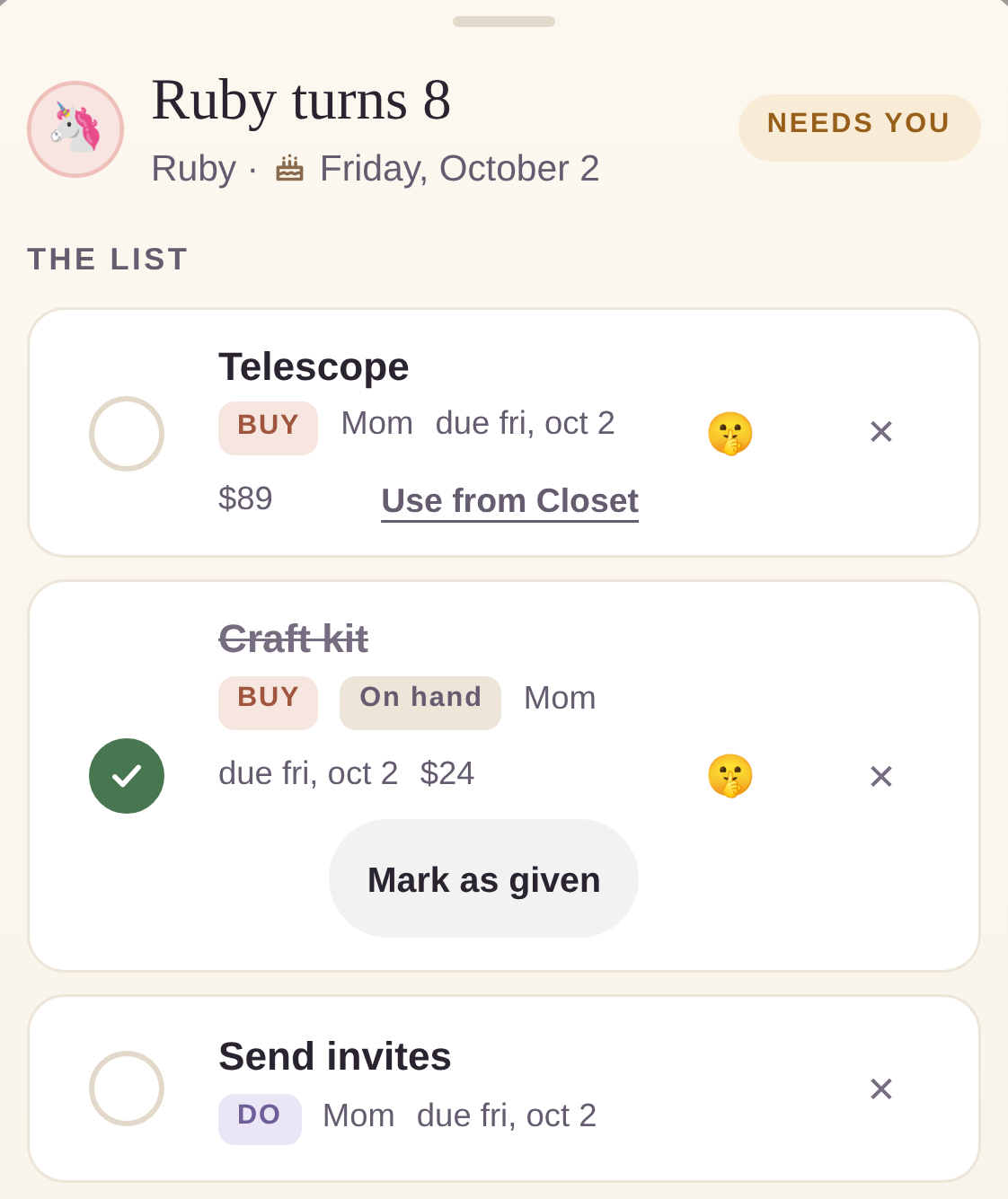
A birthday list showing a gift still to buy and a gift already on hand
The Gift Closet

Bought is not the same as given.

Something you bought in October for a December birthday is on hand. It isn't given. One checkbox can't tell those apart, which is how people buy the same thing twice, or find it still unwrapped on Christmas Eve.

Three states here instead of two, and you can walk any of them backward. A gift bought ahead gets pulled into a new event as one record, not a duplicate of itself.

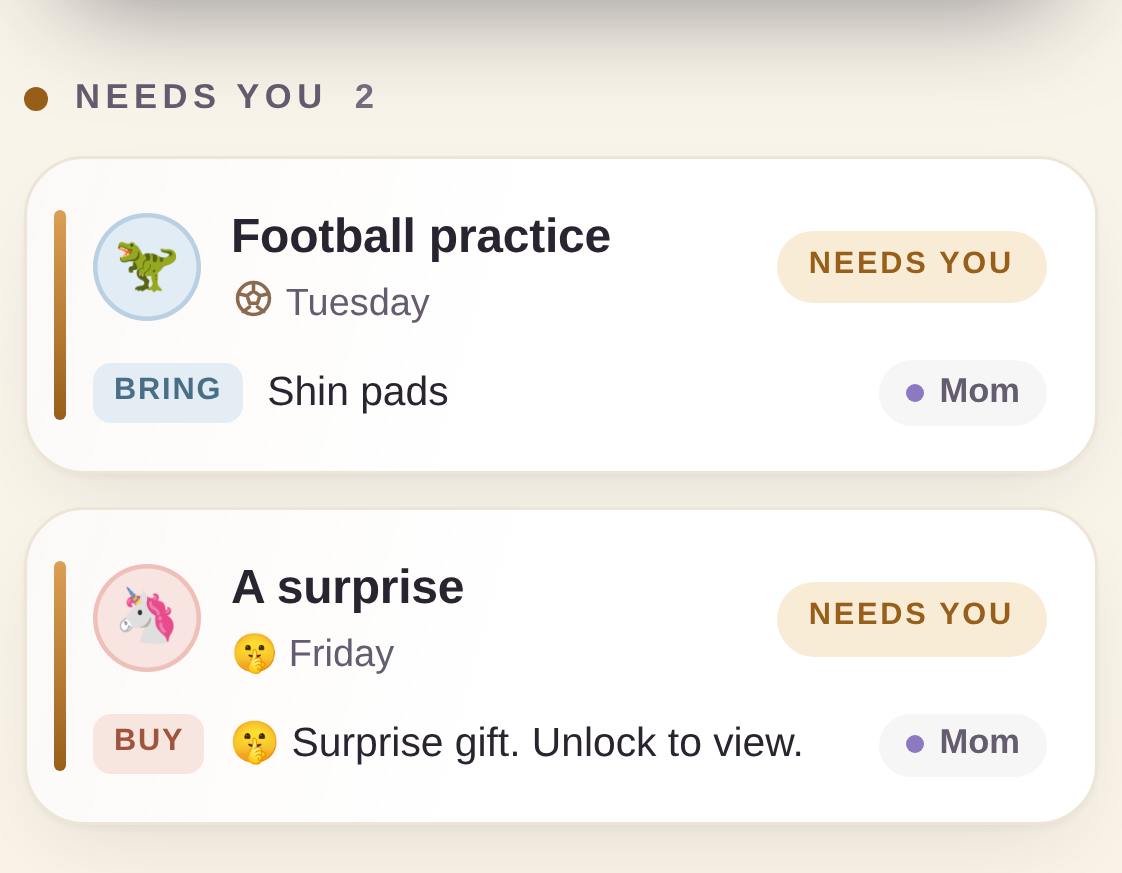
The home screen while Surprise Lock is on, with one event masked and one visible
Surprise Lock

Hand over the phone. Nothing to find.

A four-digit PIN hides every gift name and every price. A surprise event just reads A surprise.

Snacks, RSVPs, dates and who agreed to what all stay visible. That part is deliberate: a lock that hides your whole calendar is one you'll switch off by Wednesday, and then it isn't protecting anything.

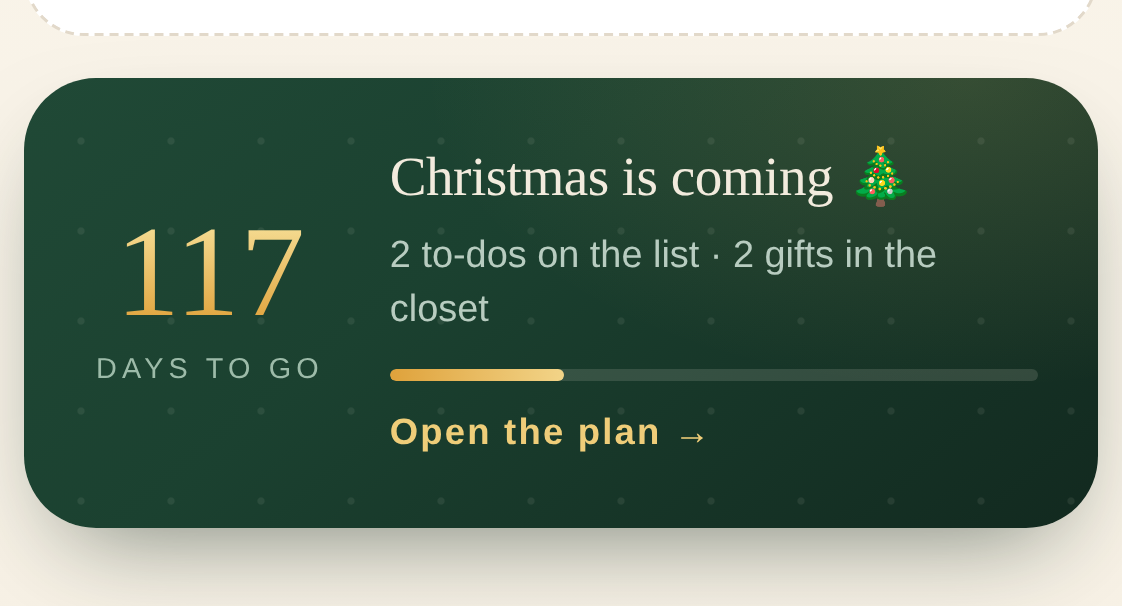
A Christmas countdown card showing days to go and gifts already in the closet
Christmas, and seven other occasions

December arrives faster than that.

The countdown sits on the home screen from the fall, showing what's still on the list next to what's already on the closet shelf. Those two numbers decide whether December goes calmly.

Birthdays, school events, activities, snack duty and teacher gifts all work the same way.

What it won't do.

Better to hear this before you pay than after. These are deliberate, not things we haven't gotten around to.

No notifications

It never connects to anything, so there's nothing to send them from. What it does instead is hand your calendar the event with its whole list attached, and let your calendar do the nagging.

The lock is a lock, not a vault

Surprise Lock keeps curious eyes out on a shared device. Somebody nosy can still work out that three gifts exist. They just can't see what they are. Your backup file is plain text, so keep it somewhere safe.

Lose the PIN and it stays lost

No account, no cloud, nobody to email about it. Your backup is the entire safety net, which is why the guide is faintly obsessive on the subject.

Two phones won't sync

Your stuff lives in the browser on whichever device opened the file. Moving it somewhere else is a backup and a restore that you do on purpose.

One file, one payment, and then it's yours.

Sold as a download through our Etsy shop, so you get Etsy's buyer protection and a receipt you can actually find later.

Works on Windows, Mac, Chromebook, Android and iPhone. Buyers also get a phone address that puts Off the Fridge on your home screen as a real app: an icon, full screen, and it works offline. The one-minute setup.